top of page


How to deposit with E-Wallet

Step 1
Login to your MD88's account.

Step 2
Insert your username and password then click "login".

Step 3
After login, click on "Deposit"

Step 4
Select "Quick Pay" then select "FPay".
Insert the amount you want to deposit and click on "Submit"

Step 5
Click on "PAY NOW".
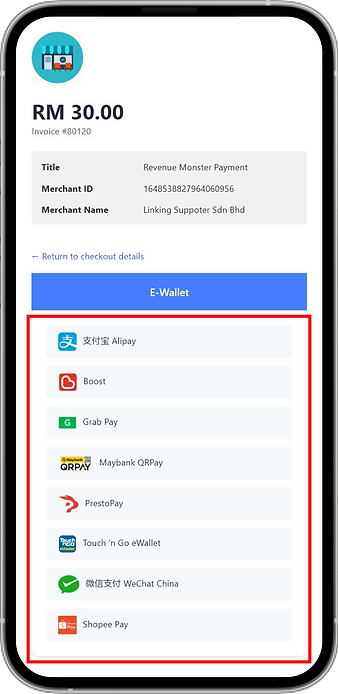
Step 6
Select an E-Wallet that you want to use for deposit.

Step 7
For Example if selected
Touch n Go.
Click on "Pay"

Step 8
For Example if selected
Touch n Go.
Insert your Touch n Go PIN.

Step 9
Successfully transferred

Step 10
After successfully transferred, the credit will automatic credit to your account immediately.
bottom of page